Team events — games and line-ups in your team calendar
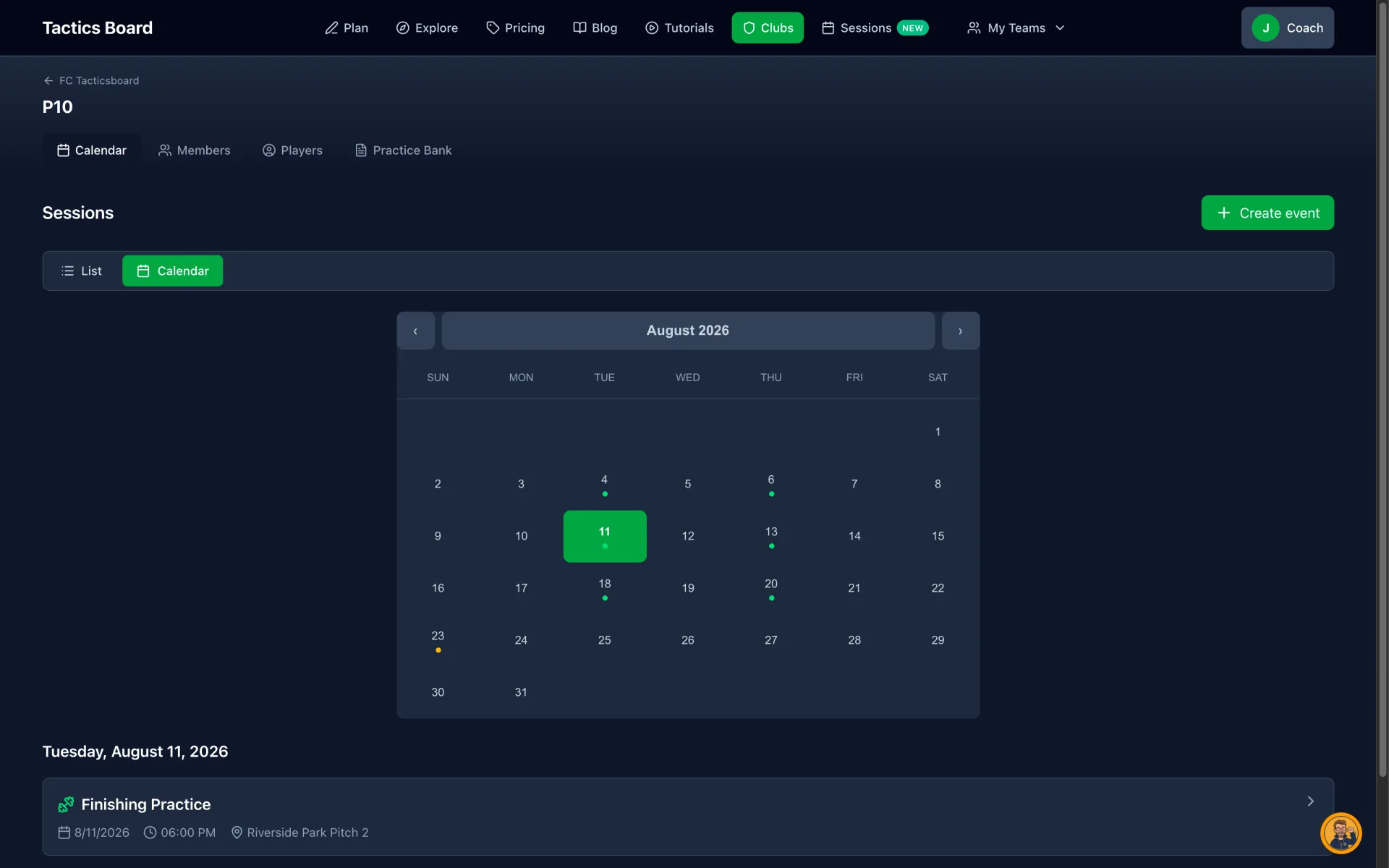
Games have been added to your team calendar. It already gathered your trainings — now the same month view shows both trainings and games, and you can build a lineup for each match. The same view is available to the entire coaching staff.
Trainings and games in one calendar
The team calendar now shows every event in one month view: trainings and games at a glance. Add a new event with the "Create event" button, and switch between list and calendar views.
Build the match lineup
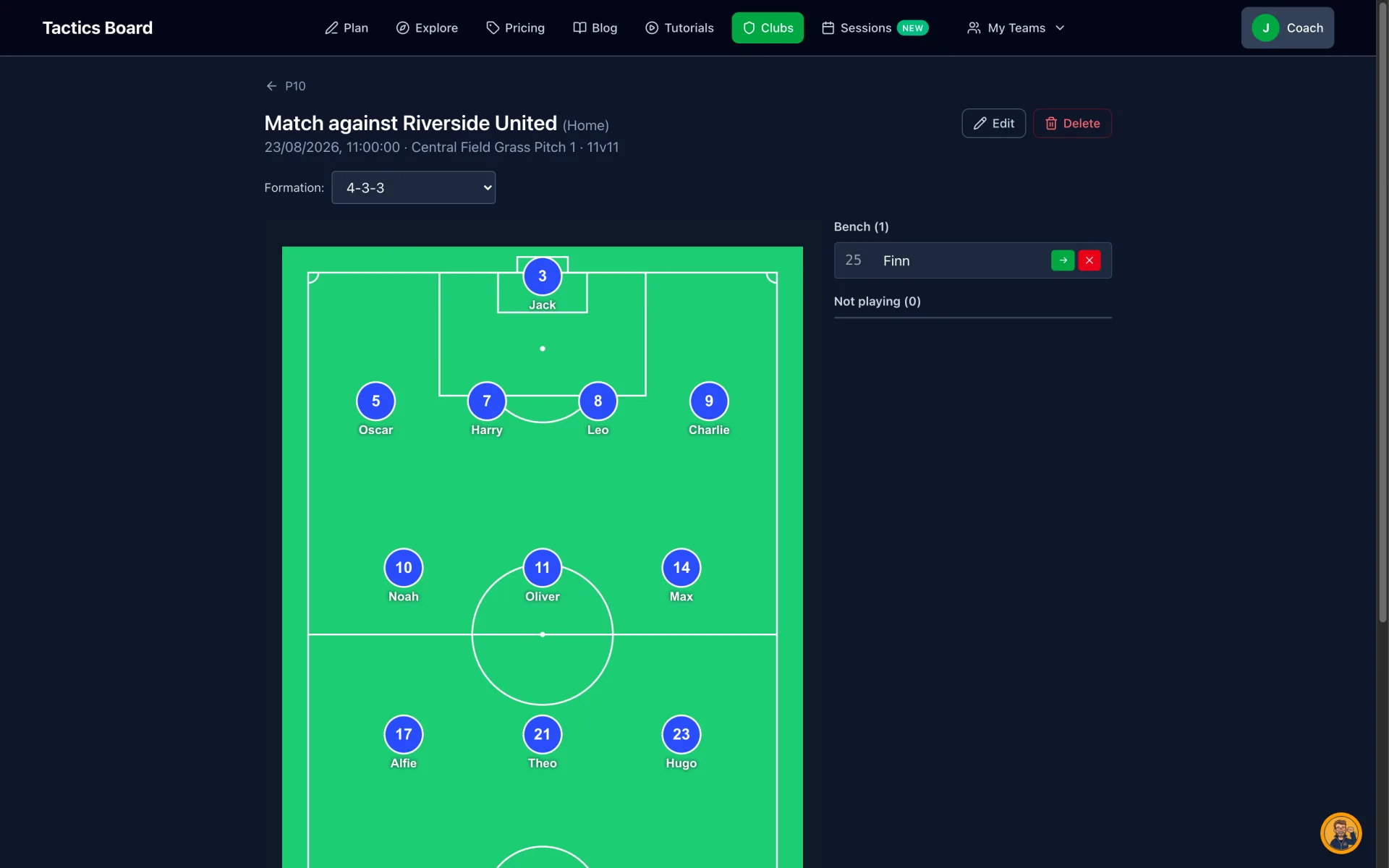
For each game you can put together a lineup. Pick the format, anything from 3v3 to 11v11, then a formation, e.g. 2-3-1 for 7v7 or 4-4-2 for 11v11. Small-sided games can be played without goalkeepers. Players take their places, and you can drag them around the pitch. The rest go to the bench or "not playing". You don't always know in advance who will play, so the lineup is built per match from whoever is available.
The whole staff sees the same view
The calendar and lineups are visible to every coach on the team — no separate messages or spreadsheets needed. You can also export a lineup as an image or PDF to share, for example with the players.
For clubs and teams
Team events is a club feature: the calendar and lineups live inside a club's team. You can create a club and try it for free — wider use is covered by the paid club plans.
If your club doesn't use TacticsBoard yet, see the club plans and start for free.